
SMPTESwitch
Frame-accurate camera cuts on Blackmagic ATEM switchers, driven by SMPTE timecode. Playback tracks, show video and timecode, all in one Mac app.
Launch offer: free for a limited time.
macOS 13 Ventura or later · Apple Silicon and Intel
First launch: System Settings › Privacy & Security › Open Anyway.
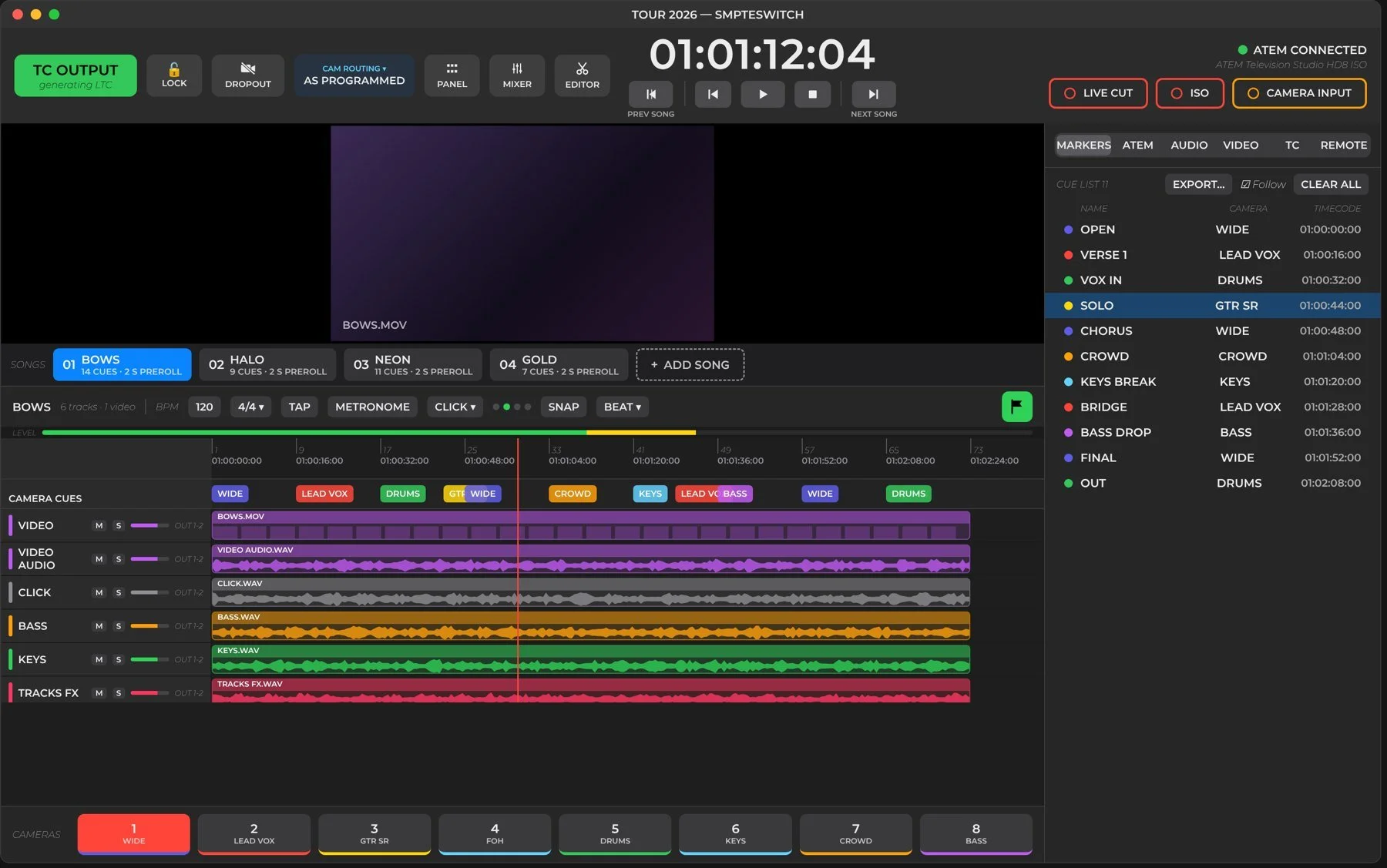
Everything for a show on one screen: timecode and transport on top, the song's tracks and camera cues in the middle, the cue list on the right.
Cut the right camera. Every frame. Every night.
Build a timeline for each song with its playback tracks and video, drop cue markers on it, and each marker changes the ATEM's Program to a camera. One button switches between running the show and following it.
SMPTESwitch is the master
It plays the songs, sends LTC timecode out of your audio interface and cuts the cameras. Lighting chases the code it sends.
SMPTESwitch follows
It chases incoming timecode, jumps to the right song by hour and fires the cuts. Lighting and the other departments chase the same code and run their own parts.
Built for touring: the same programmed cuts run at every venue, whatever in-house ATEM and camera numbers that venue has.
On the road and in the studio
The same app runs a touring concert from front of house and a live TV show from the gallery.
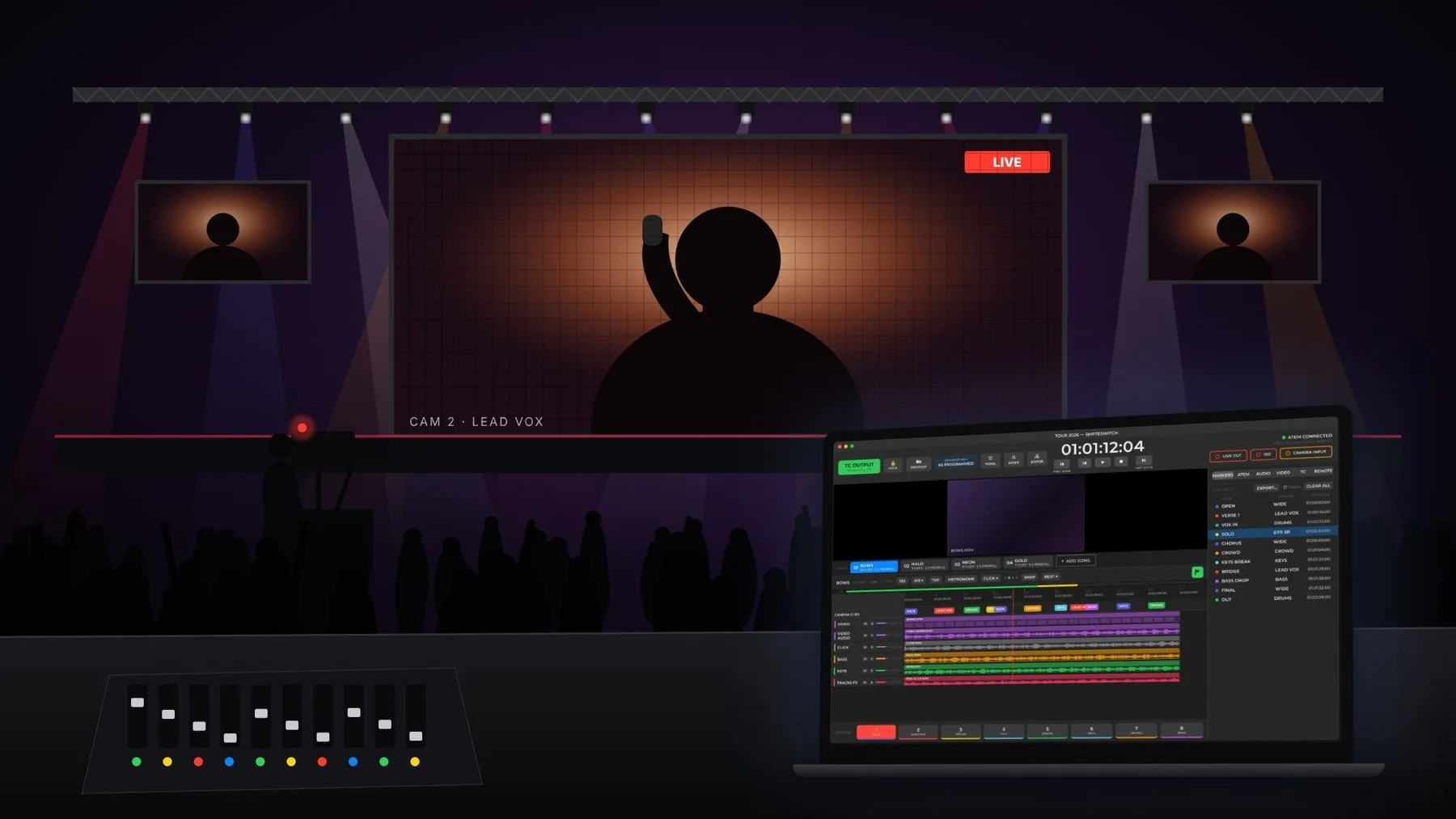
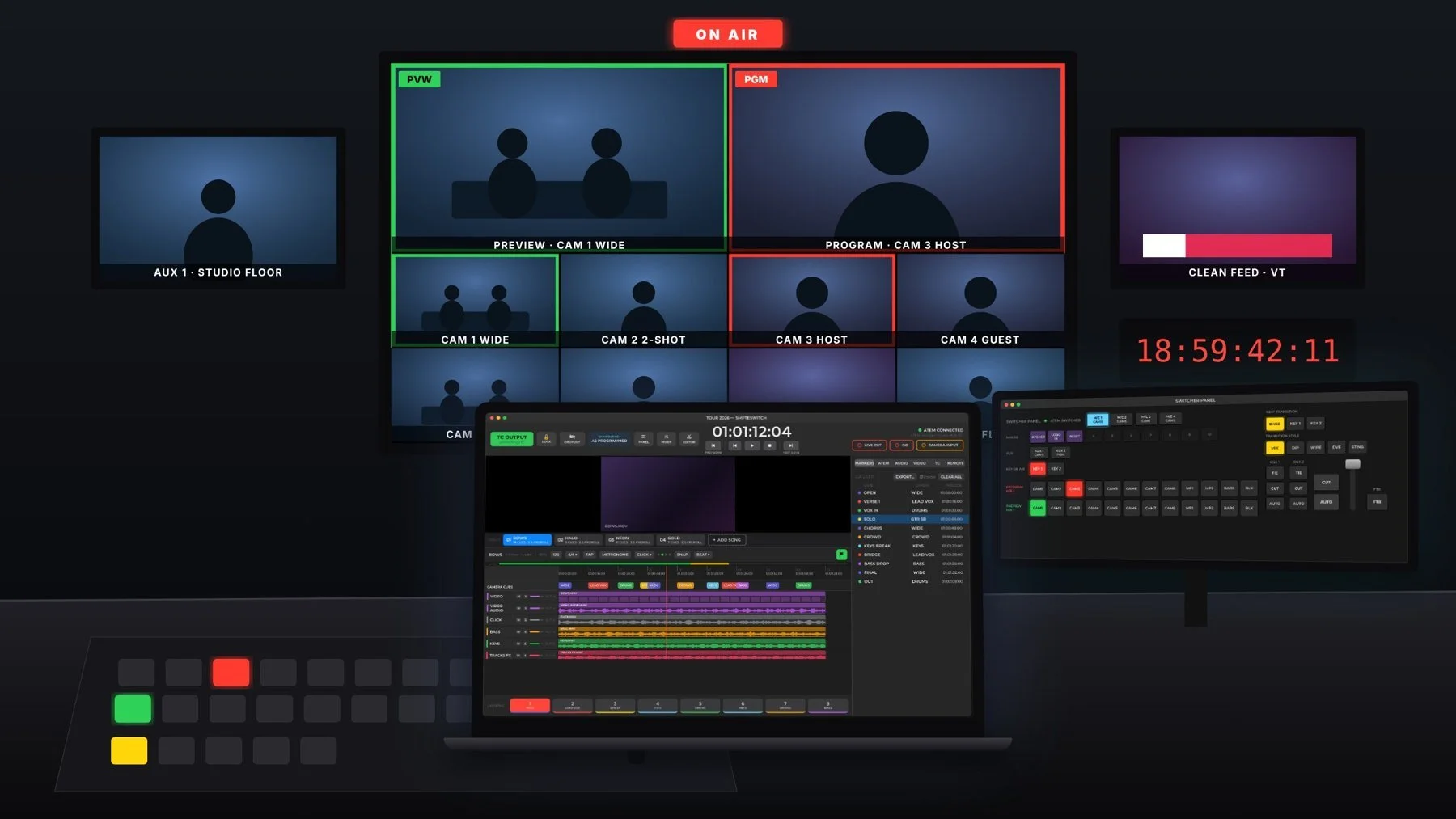
01Program camera cues
Each cue is one Program change on the ATEM at an exact timecode.
- Program it live. Play the song and press 1–9 on each cut to drop a cue for that camera.
- Or by hand. Double-click the timeline to add a cue, drag to move it, nudge a frame with ⌥← ⌥→.
- Cue editor: exact timecode, camera, M/E, Cut or Auto, name and shot notes.
- Sources include cameras, Media Players, Colours and SuperSources, even with no ATEM connected.
- Preview next puts the upcoming camera on Preview. Export Shot List gives camera ops the running order.
The live cue is red with a progress bar, the next counts down in orange, past cues fade.
02Songs, tracks & the Editor
- Show channels: every song shares the same lanes (Visuals, Click, Backing Tracks…) on the same outputs. Switching songs only swaps the clips.
- Drop files on a lane, or several at once and they match channels by file name. Movies bring their own Video Audio channel.
- Tempo & grid: BPM, time signature, TAP, a bars ruler and SNAP from bars down to frames.
- Metronome with Click, Tick, Shaker, Cowbell and counting voices, on its own mixer strip for in-ears only.
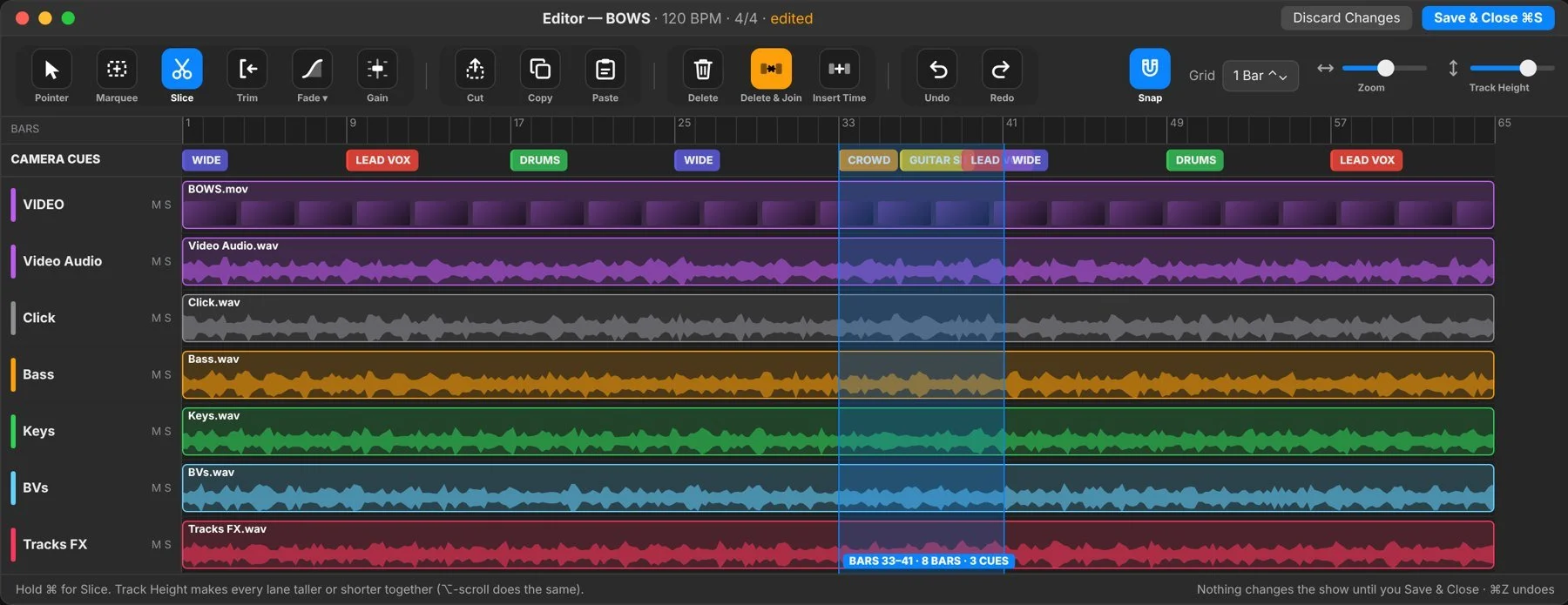
- The Editor is a DAW-style window: Slice, Trim, Fade, Clip Gain, Delete & Join and Insert Time, and the camera cues follow the music.
03Timecode that never waits
One button, or ⌘T, switches between generating timecode and chasing it.
| MODE | WHAT SMPTESWITCH DOES |
|---|---|
| TC OUTPUT | Plays the song, sends LTC out of the chosen output, cuts the cameras |
| TC INPUT | Reads LTC from the chosen input, follows it, jumps to the right song by hour, cuts the cameras |
| Frame rates | 23.976, 24, 25, 29.97 drop-frame, 29.97 non-drop and 30 |
| Chase status | LOCKED, FREEWHEEL, STOPPED or NO LTC, with the measured incoming rate and a warning if it doesn't match the show |
| Firing | Cues fire from a dedicated timer on the audio clock or the decoded LTC, so a busy screen never delays a cut |
| Jumps | If a rehearsal restarts mid-song, the app cuts straight to the camera that should be live at that point |
04Audio routing, mixer & Dante
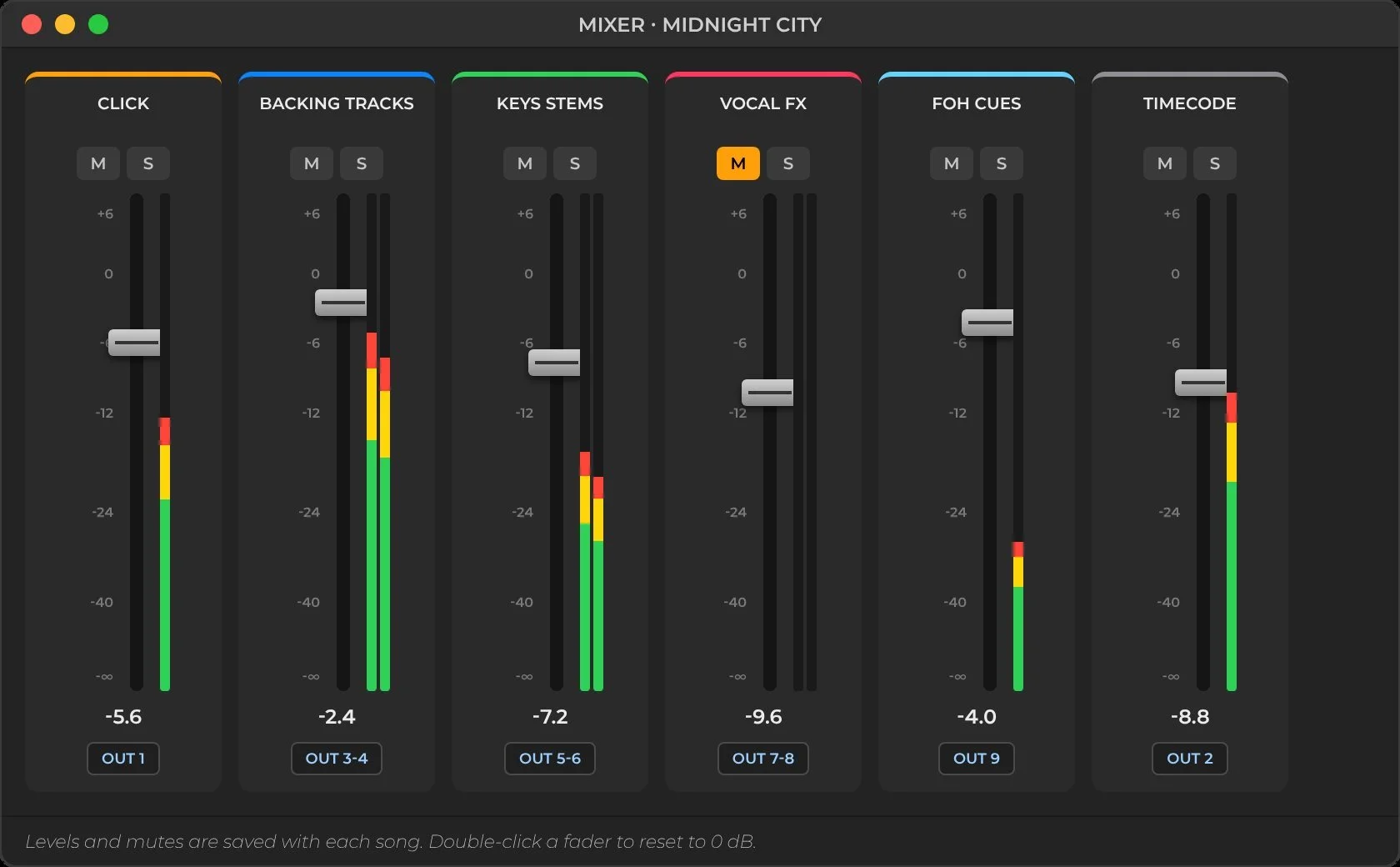
- Routing matrix: send every track and the LTC to the outputs you want, up to 128 channels.
- Mixer: a strip per channel with fader, live meter, Mute, Solo and output. Levels save with each song.
- Dante Virtual Soundcard works like any interface, and SMPTESwitch reconnects by itself if Dante drops out.
05ATEM control & Switcher Panel
SMPTESwitch talks to the ATEM over its own network protocol, with no Blackmagic software needed on the Mac. Switchers on the network show up by themselves.
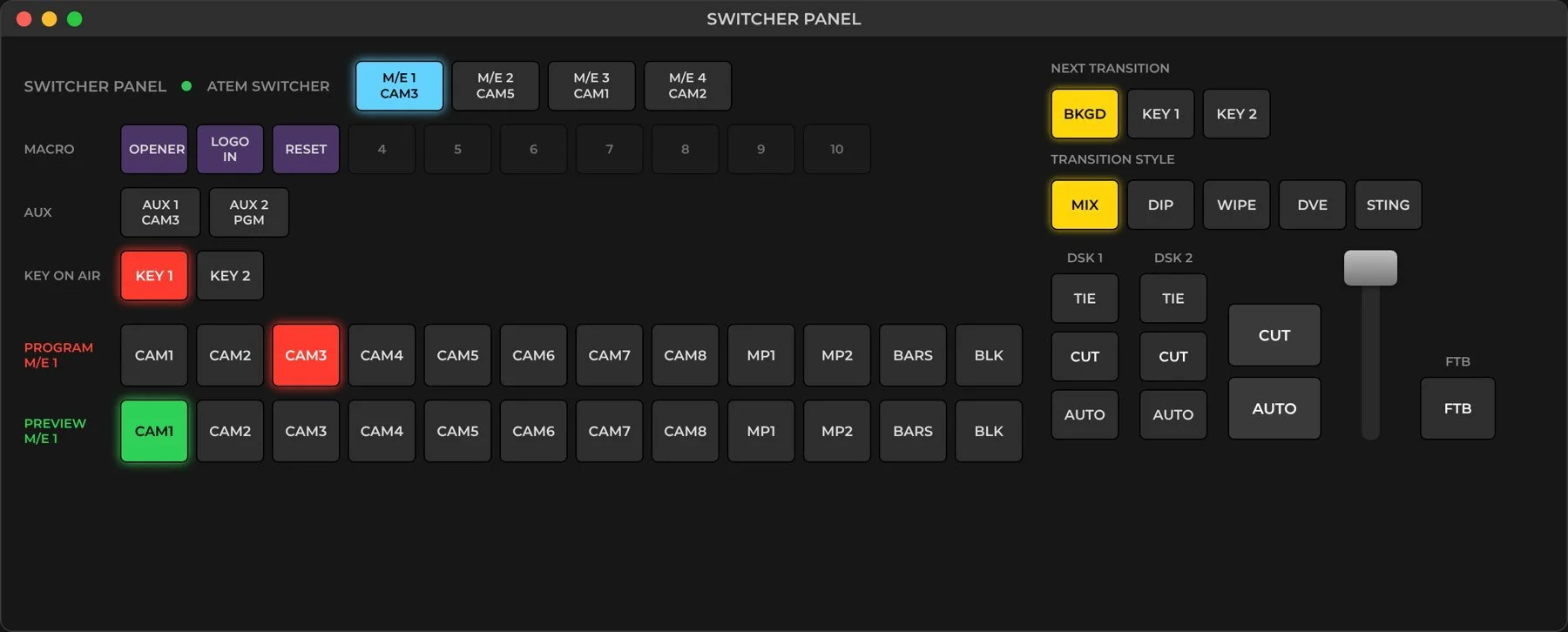
Red Program and green Preview rows with live tally, including cuts made elsewhere.
CUT, AUTO and T-bar. Mix, Dip, Wipe, DVE and Sting, plus keys, DSKs, FTB, Aux and Macros.
No ATEM? A built-in virtual switcher with a reference still per camera lets you program a whole show on a laptop.
06Touring tools
The programmed show never changes from venue to venue. Only where each shot is sent changes.
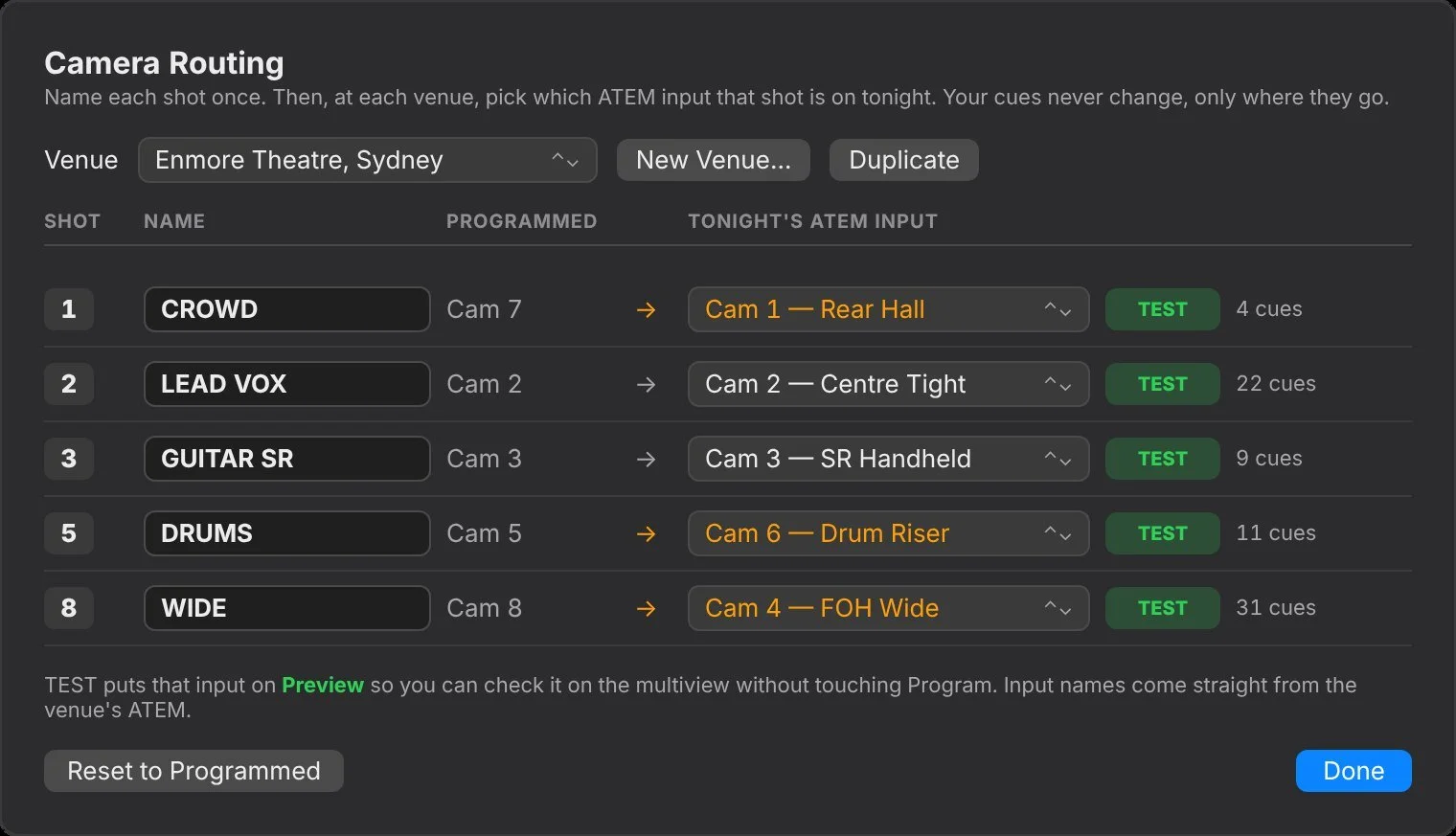
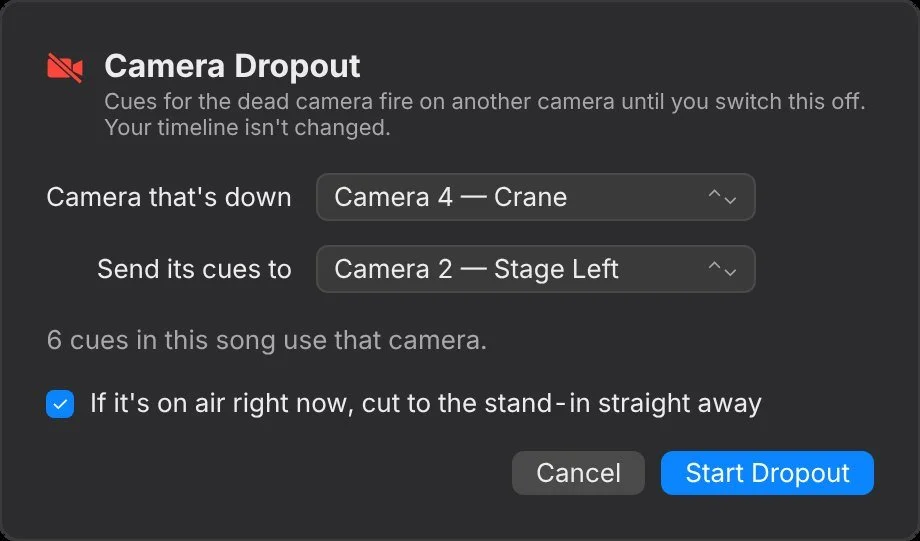
⌘L Lock Show protects the programmed cues from accidental edits during a show.
07Recording
- Record Live ATEM Cut turns every Program change on the ATEM into a cue, from the panel, ATEM Software Control or the app.
- ATEM ISO Record starts the switcher's own disk recording.
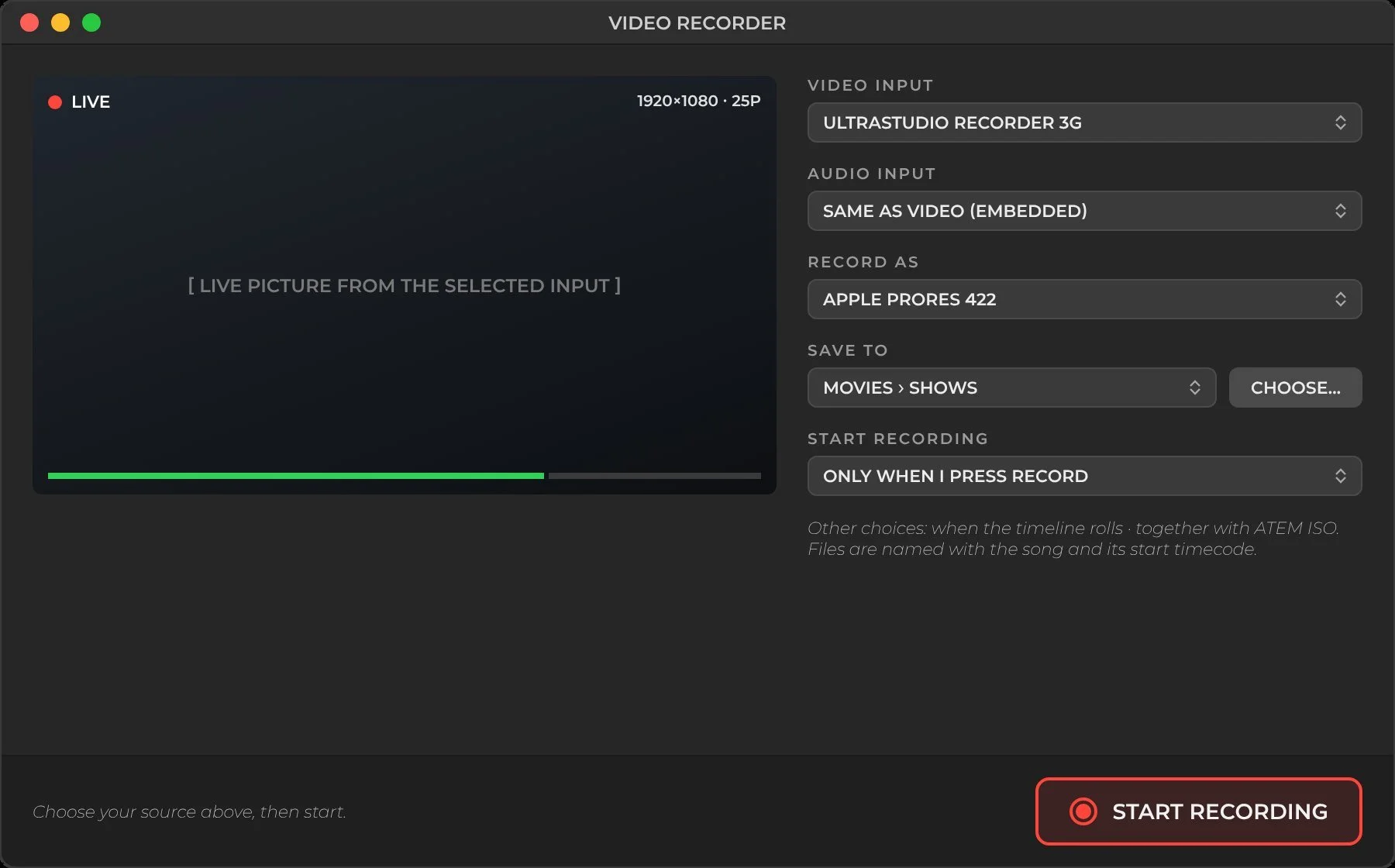
- Record Camera Input captures to ProRes 422, ProRes 422 HQ or H.264, named by song and timecode.
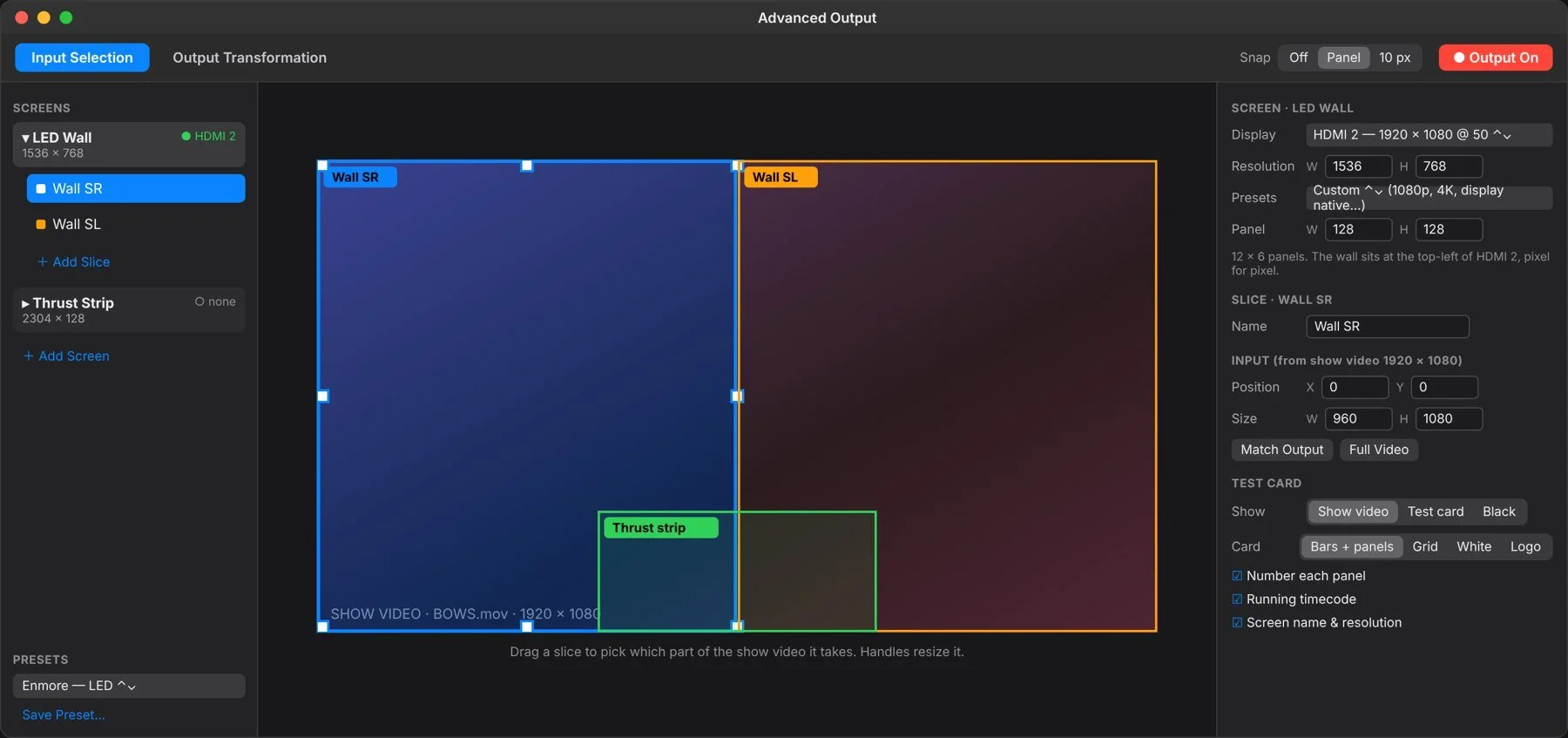
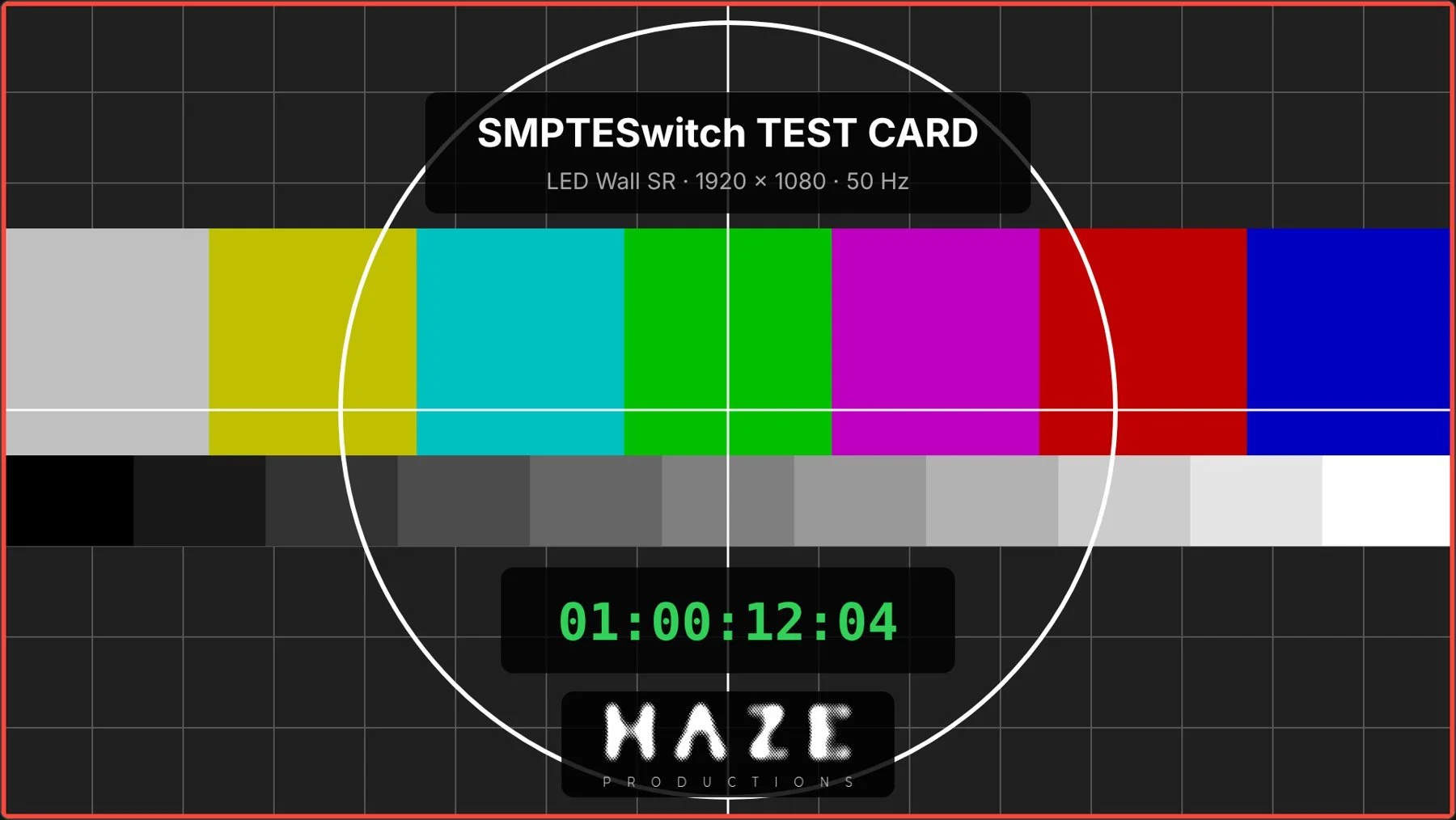
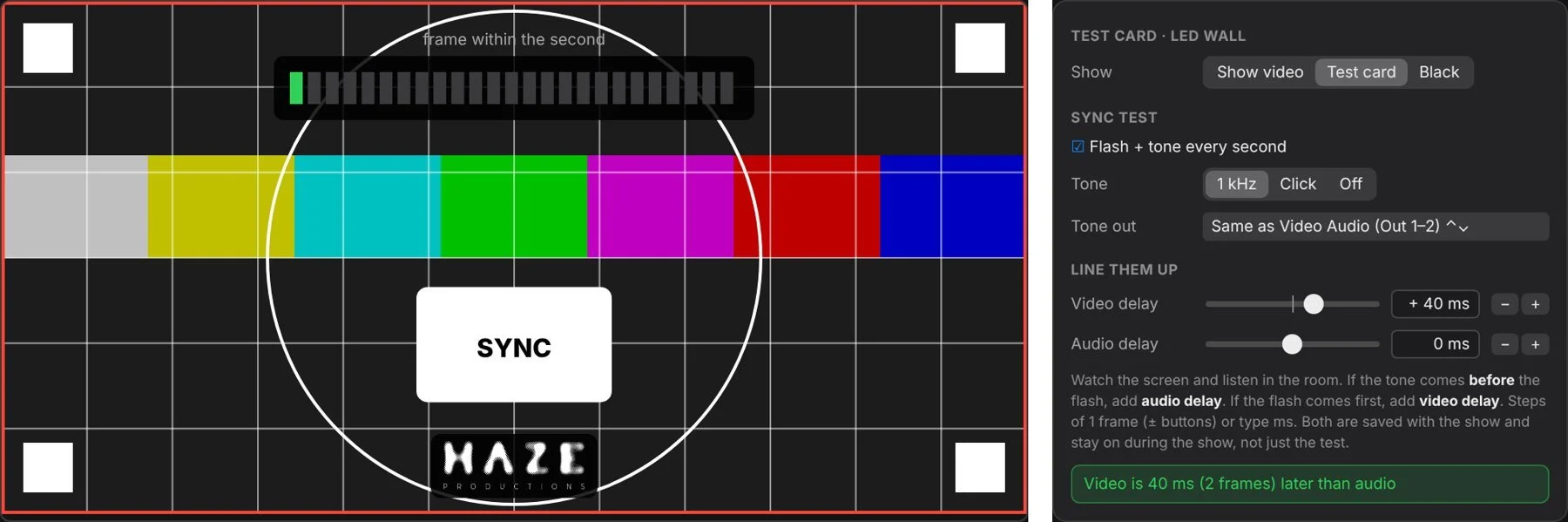
08Advanced Output, test card & sync
Map the show video onto any LED wall or screen layout, line up every screen without putting show content on it, then get picture and sound landing together in the room.
09Show Stop
One press stops everything SMPTESwitch controls: playback and audio, the ATEM to black, every visuals output and timecode. No "are you sure?" step.

Call it from the Mac, the Stream Deck or the Stage Manager's phone. Every Show Stop, request and clear is logged with who did it.
Keyboard first
Every feature is in the menu bar, and the ones you need mid-show are a key away.
| Play / Pause | Space |
| Drop a cue for camera 1–10 | 1–9 0 |
| Previous / next song | ⌘↑ ⌘↓ |
| TC OUTPUT ⇄ INPUT | ⌘T |
| Camera Dropout · Lock Show | ⌘D ⌘L |
| Editor · Mixer · Switcher Panel | ⌥⌘E ⌥⌘M ⇧⌘P |
| Advanced Output · Test Card | ⇧⌘O ⇧⌘T |
Requirements
- macOS 13 Ventura or later, native on Apple Silicon and Intel Macs.
- A network link to a Blackmagic ATEM switcher.
- Any Core Audio interface, including Dante Virtual Soundcard.
- Optional: a display output per screen for Advanced Output, and a capture device for camera recording.
- Shows save as one file with songs, channels, cues, tempo, routing, venues and settings.
SMPTESwitch
Run it on your next show. Free for a limited time.